Schedule Sync
Schedule Sync is a Windows desktop app that automates Resolume deck switching based on a weekly schedule. Set your time windows, assign your media folders, and let it run unattended. A smart digital alternative to dedicated hardware schedulers like BrightSign built specifically for Resolume users.
Key Features:
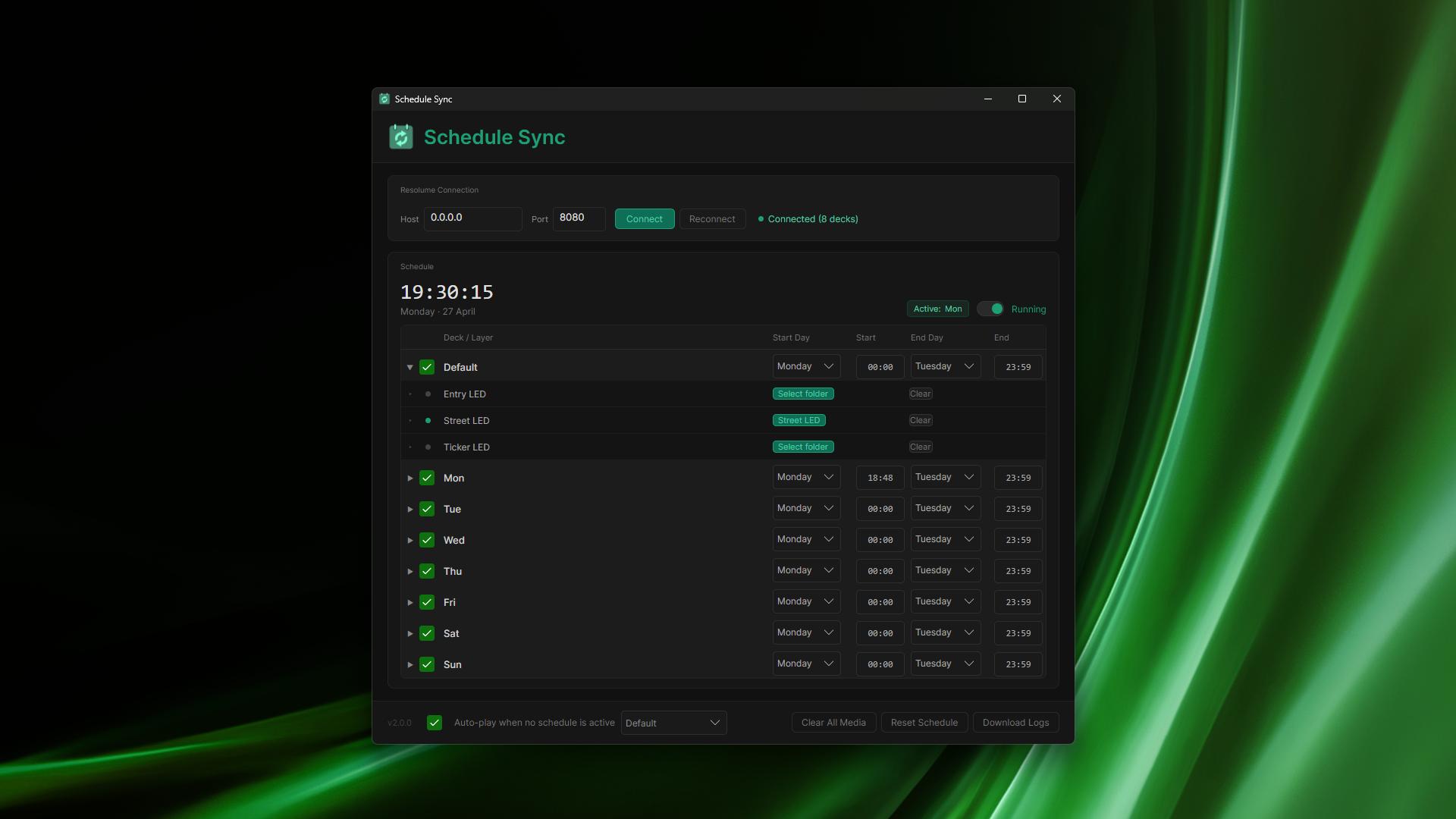
- Weekly Schedule Grid: Assign start and end time windows to each deck by day and time. Schedule Sync evaluates the clock automatically and triggers the right deck at the right moment.
- Live Background Media Sync: Assign a folder to any layer and Schedule Sync loads your media directly into Resolume. Update files at any time and changes are detected and synced automatically.
- Shared Folder Support: Works with Dropbox, Google Drive, OneDrive, or any cloud-synced folder. Update your content remotely from anywhere in the world without touching the machine on site.
- Edit Mode vs Running Mode: Two clearly separated modes of operation. In Edit Mode all changes apply immediately. In Running Mode your display is the first priority — media updates queue silently in the background and apply when each deck is triggered.
- Smart Flush on Stop: Stop the scheduler and all queued media updates across every deck and layer apply automatically in sequence. No manual steps required.
- Fallback Deck: Set a default deck that plays whenever no scheduled window is active. Ensures something is always displaying even between time blocks.
- Active Deck Indicator: The currently live deck highlights in the schedule grid so you always know what's playing at a glance.
- Persistent Configuration: All schedule settings, time windows, and media folder assignments save automatically and restore on next launch.
- Download Logs: Built-in support bundle for easy troubleshooting.